

Agentic Workflows
for Design
What it actually looks like to try and put AI to work in a design pipeline: tool by tool, where each one succeeded and failed, how much human involvement it took, and what it cost.
As an employee in modern workspaces, AI, AI tools, and agentic workflows need to be discussed. Pro or con, sometimes agentic workflows are forced upon you; sometimes they're genuinely good at tackling a job efficiently, but only if used to their specific strengths, by someone who knows what those are and knows the craft behind the task.
I've previously used AI to process large sets of analytics data for patterns against benchmarks, parse and combine SEO data from different sources, generate product descriptions for libraries in the tens of thousands, clean up vendor product imports, even help with developer hand-off of designs.
In each case the task was AI handling a large data set. The results needed to be tested and error-checked by a human before use, and would hallucinate under stress frequently. There was an efficiency gain, but it wasn't perfect. The human time saved on the task was now spent prompt-crafting, testing, monitoring, and cleaning up. So using them for design I would assume no different.
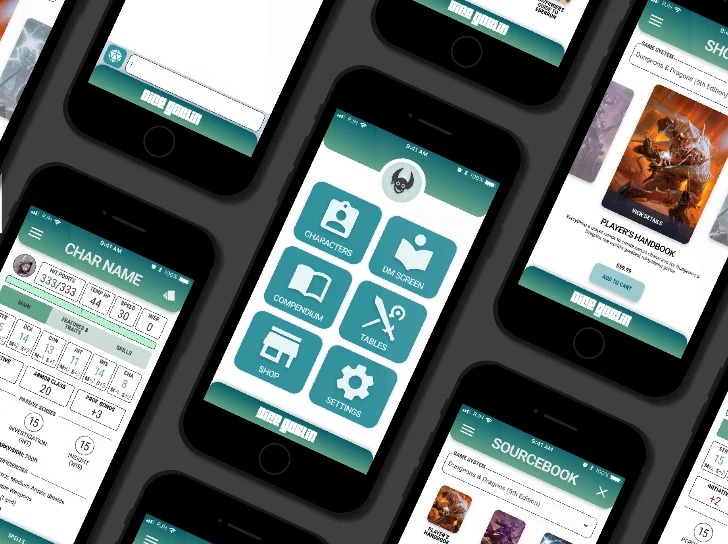
Using these tools is a bit like buying an electric car. You're saving on gas, but the lithium had to be mined, processed, shipped, assembled, wired, and tested, and if it catches fire it's a disaster to put out. You do save on gas though!
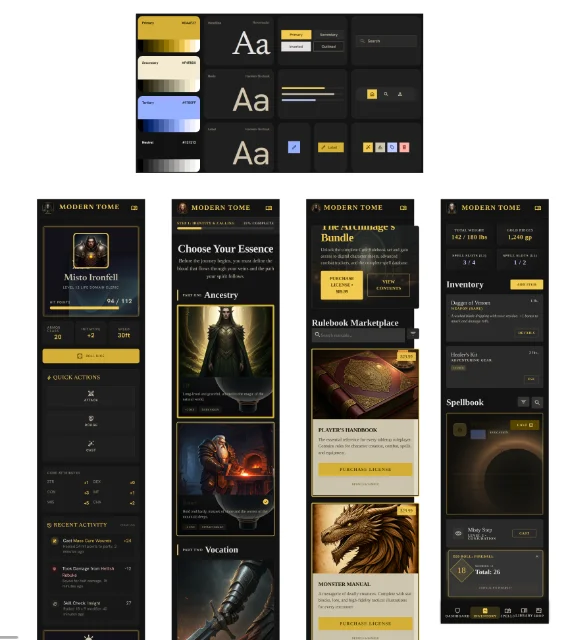
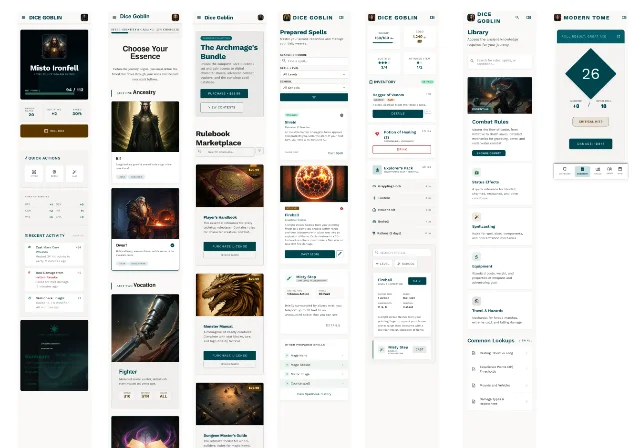
I went in blank: “I'm building a tabletop RPG player-support app similar to D&D Beyond. Users should be able to purchase rulebook licenses, create and manage characters, look up rules, and roll dice.” At first glance it looked like something. On inspection the terminology was wrong, parts were missing, styling broke ADA, data was misaligned, and key functions were absent.
A second pass with official references and color comps gave better information architecture and some usable ideas, but nothing I'd show professionally. Heading styles differed on every board, ADA issues persisted, and boards hallucinated back to the original title. You can't manually move elements, crop, or reliably reference specific parts, and multi-board edits never come back consistent.
So I exported the comp I liked to Figma and cleaned it up by hand: making elements consistent, re-prioritizing information, aligning everything, building missing content. Tedious, because every spacing and property was different, and the file was a mess: sometimes five nested auto layouts before you hit content.
Generative tools are strong for divergence and ideation, and weak on craft, consistency, and accessibility. Treat the output as a first draft, never a deliverable.
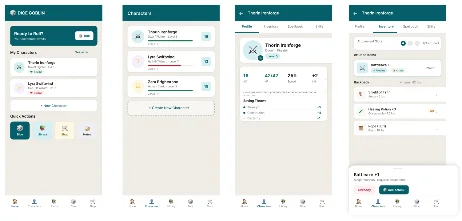
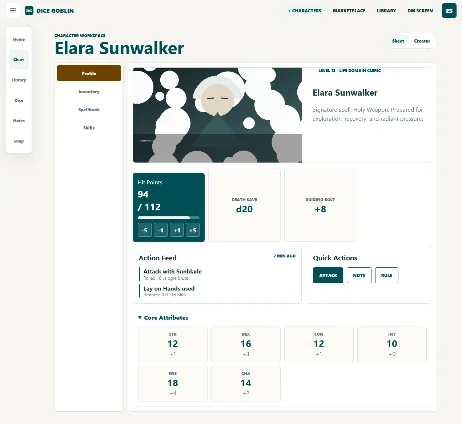
I installed the Figma MCP server so Codex could read and act on Figma files I provided, then had it turn my original prompt into a better one: it returned a detailed two-page prompt with header options per platform. Executing that against a design system I'd built gave middling results. It had inconsistent sizing, spacing, and color; frames running off the page; no icons or images; only a few of six mobile boards built.
Round two added design restrictions and QA tasks, a little better on layout and color, but still placeholders for every icon and image, despite my providing them. Round three I asked for a local prototype from the previous design file instead of Figma output, and that finally used icons and images. It turns out the current Figma MCP server can't create images, though it can upload assets.
All of this was very expensive token-wise. At that point I was spent for the week. Three pulls of the lever. I had to way that long to export it out to be able to work on it or pay more.
Pipeline awareness and custom skills raise the ceiling, but image and icon handling, and overall design ability is the weak point. The local prototype beats a Figma export for fidelity.
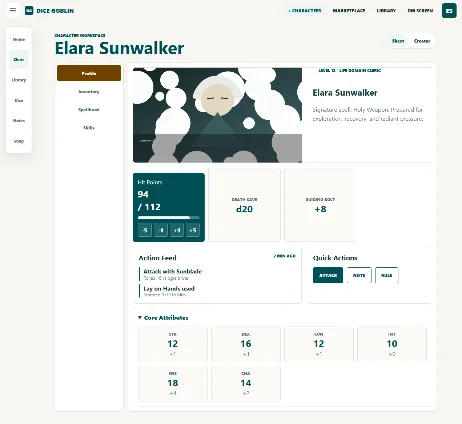
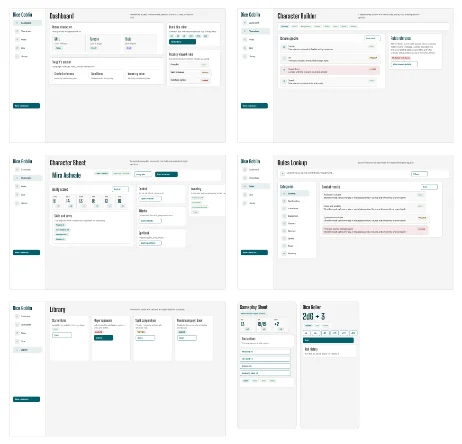
Results vary greatly with the task and the reference. Handed just the design system, it gave middling screens with emojis instead of icons and inconsistent layouts. Example screens helped, but it still took wild swings and burned tokens reading Figma files. Passed URLs for the character sheet and rules PDFs, it couldn't read them immediately and took many routes to download them.
The best results came from local reference files it didn't need a connector to read (PNGs and PDFs), then having it build a local HTML prototype, and using the html.to.design plugin to pull those designs into Figma without spending tokens.
With Claude's research being its strength, it also does a good job of helping you scope out a project. I asked it to break down everything that would need to be done to launch this idea as a product and it gave me all the steps we would need to account for from planning, to design, to implementation. It didn't DO them, but it gave me the info I would need TO DO it.
My custom skill kept setting a fixed 10px height on every auto-layout frame. I asked it to switch frames to hug contents; it added the correct command but left the wrong one in and ran it afterward, appending instead of replacing. I ended up correcting the skill files by hand.
Self-QA is the real differentiator. Lean on agents for the tedious, systematizing work, not the creative craft. And keep your reference local.
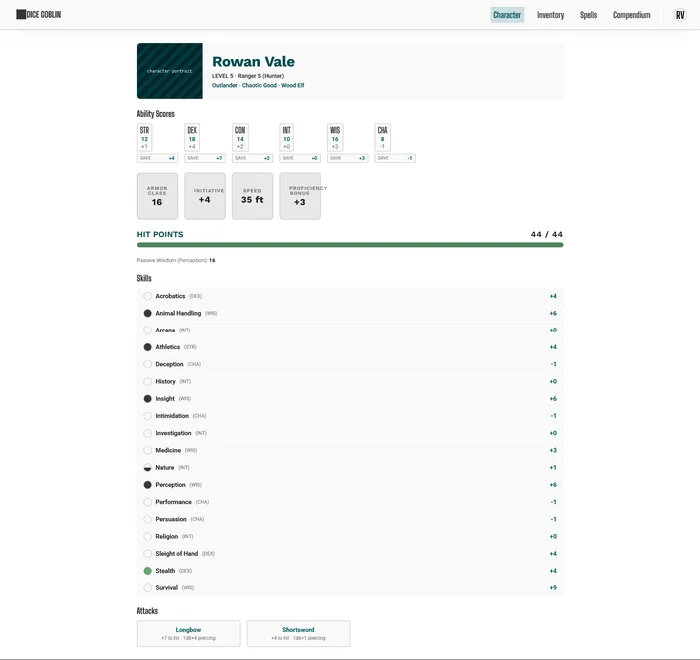
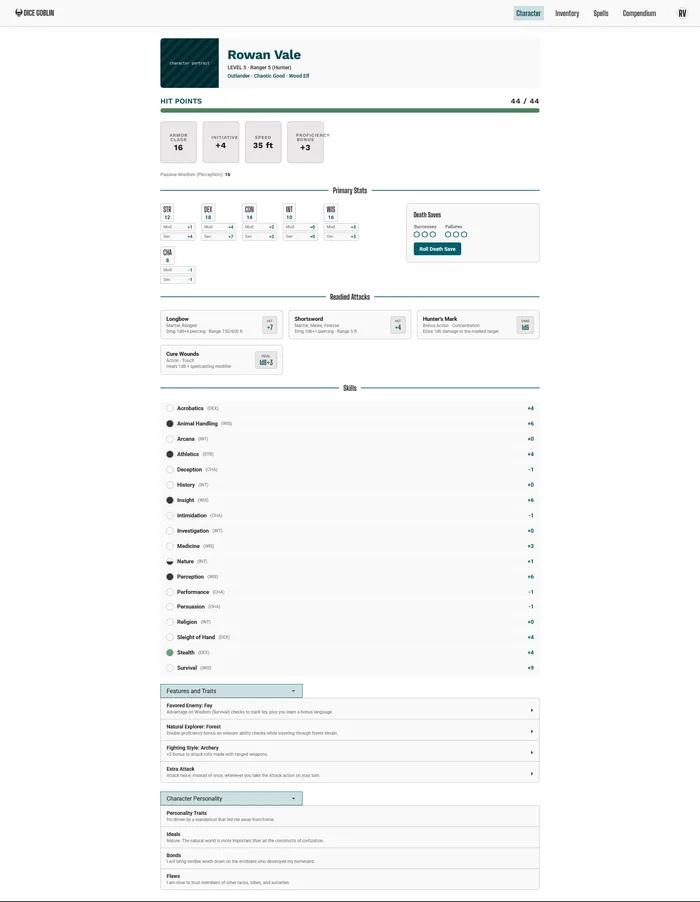
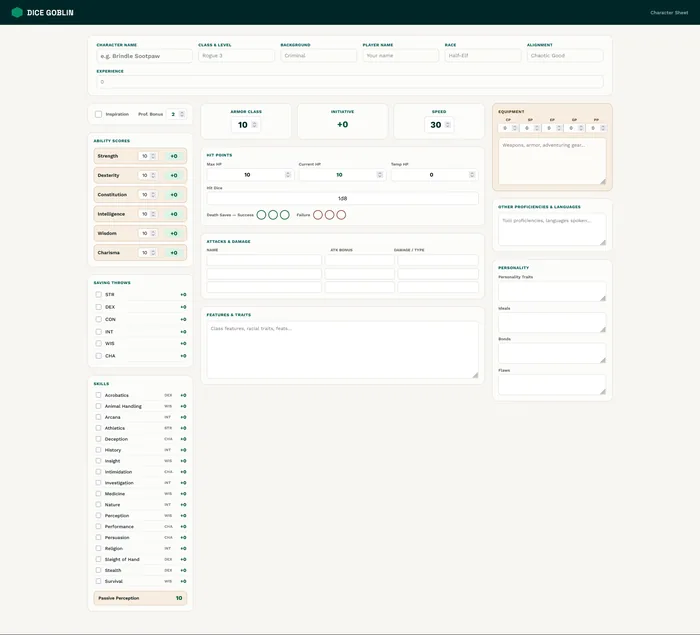
For the first iteration, since we already had a design system and supporting references, we could leverage Claude Design to refine and iterate on the concepts with minimal token usage. The results were not great.
For the second iteration, I fed it examples of what the screen should look like from my hand made final designs. Even with that explicit guidance, the results were not acceptable.
For the third iteration, I gave it more autonomy and less explicit direction. Claude Design does better the less direction you give it. Where if you tell it just the concept of what you are looking for it gives you cleaner results, but way less accurate on the details and youre also back to square one on solving design problems.
The key takeaway is that Claude Design performs best when given less explicit direction, allowing it to generate more creative solutions, but its only good at solving things that have already been solved. Given a "novel" task like improving on a complex RPG character sheet and it just spins its wheels.
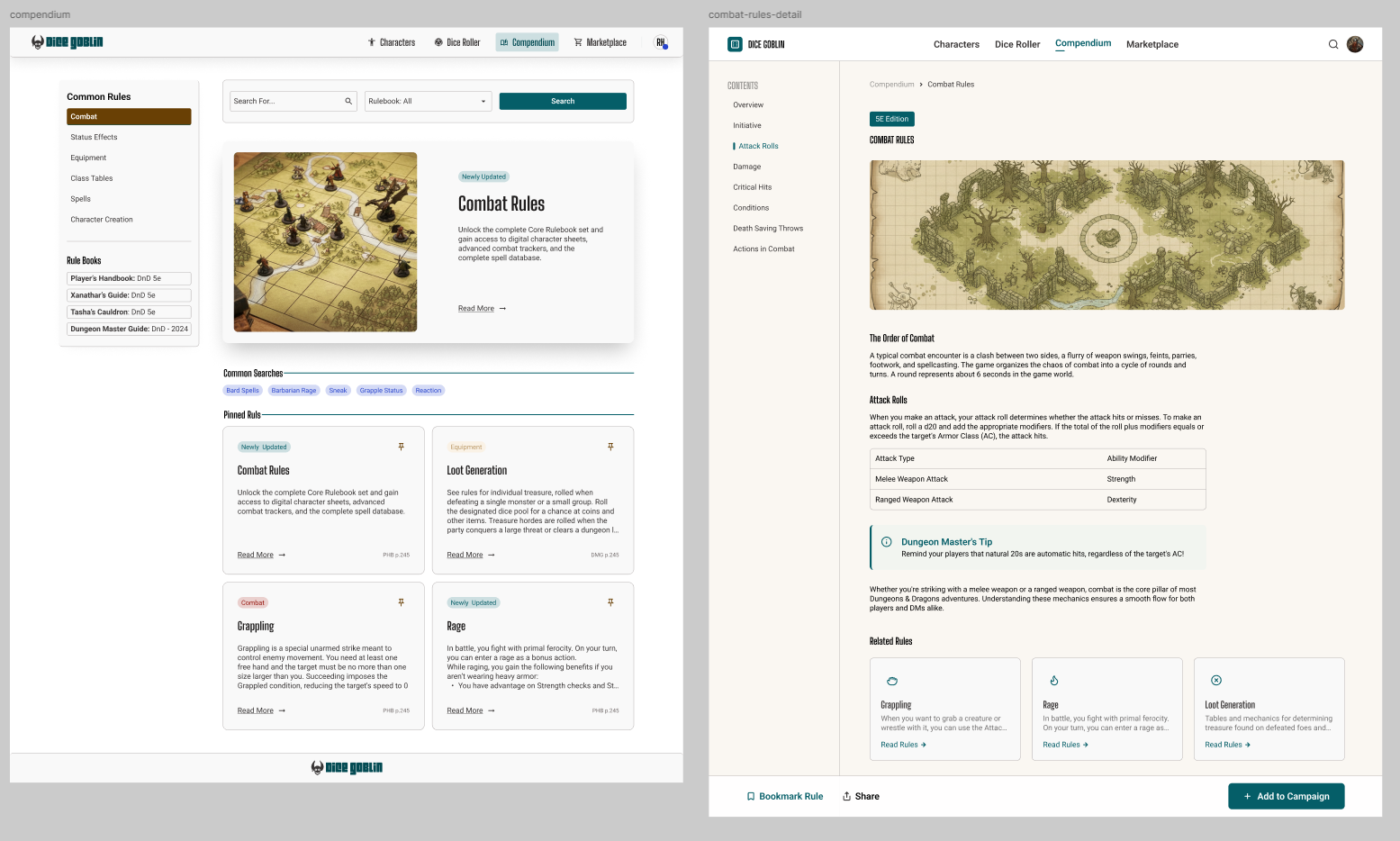
So far the Figma Agent is not great at respecting components and information in the same file. Right now it will only respect published design systems you link it, and the specific frame you activated it on. This is currently best used to create variations or alternate states of existing screens like Out of Stock, Back Order, or On Sale versions of a product.
The Plugin Creation System is a very powerful feature whos only drawback right now is that they cant be shared or version controlled. In 30 minutes i was able to make a plugin that exported comments from my doc that had a specific flag on them which i could customize per export.
The shaders and figma weave seem to be the feature that needs the most work. They are very token heavy so they are hard to experiment with and they require a LOT of experimentation.
Keep an eye on the Shaders and Weave, but find where you can use the figma agent and the plugin creation.
*Stitch was free at the time of writing, but that won't last. Across all three, AI usage is the small line item; the human hours are where the real cost lives, and every total here is the price of a first draft.
Going Forward
As we go forward, new tools keep getting released and the ones I've covered keep getting updated. While writing this, Figma released the beta of its AI agent, eliminating the need for some of these MCP connections and allowing direct canvas actions. Claude just released their Fable model, which is producing much stronger coding prototypes.
All of these tools and processes, though, need a human at the wheel. Letting them loose to do their own thing is a neat party trick, but it doesn't get you professional, repeatable, or manageable results. You'll always want people who know the craft to make sure what you produce doesn't end up lost in the sea of hobbyist prototypes and projects.